
If you’re a blogger, content creator, or writer struggling to hit your daily writing goals, the Word Count Goal Tracker plugin for WordPress can make your life a lot easier. 👉 It brings you real-time progress tracking inside the WordPress editor — so you stay focused and motivated.
This post explains what the plugin does, why it matters, how to use it, and how it improves your writing workflow.
🧠 What Is the Word Count Goal Tracker Plugin?
The Word Count Goal Tracker is a lightweight, free plugin that helps you track your writing progress per post by setting word count goals. It’s perfect for:
- Daily bloggers wanting consistency
- SEO writers who follow editorial word targets
- Authors and long-form content creators
You get a live progress bar while writing and a notification when you hit your target — all right inside the WordPress editor.

Word Count Goal Tracker for WordPress
✨ Key Features That Make It Useful
Here’s what the plugin lets you do:
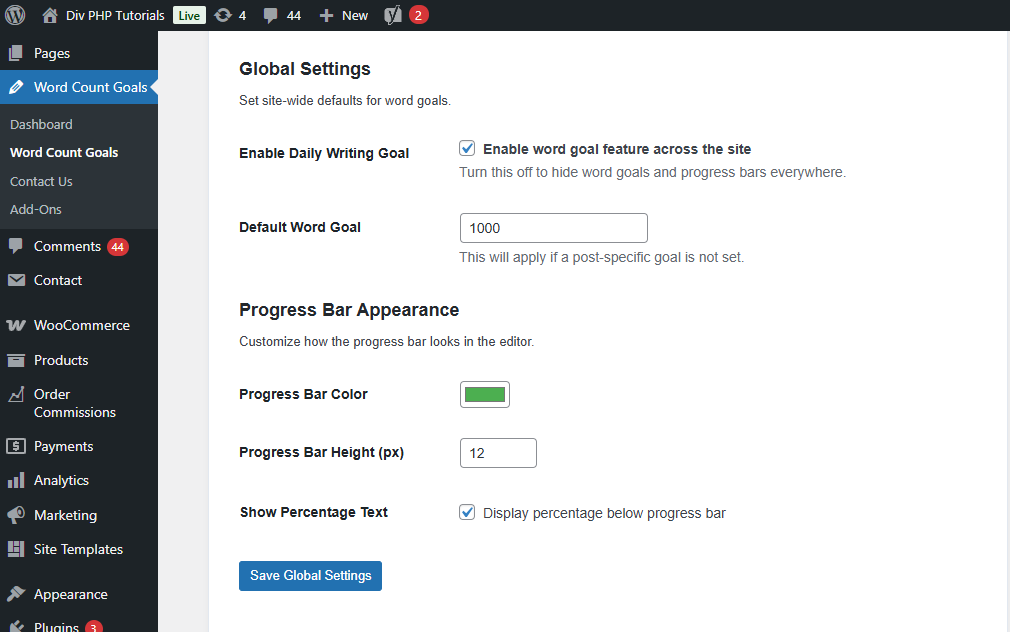
🟩 Global Word Goal
Set a default target that automatically applies to all new posts — no need to configure goals for each post manually.
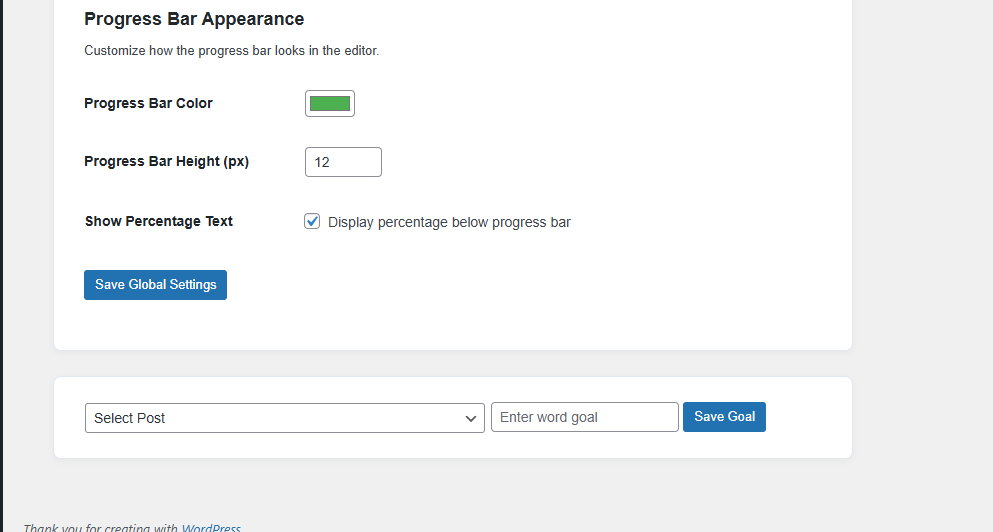
📝 Per-Post Custom Word Goals
Want a different goal for a specific tutorial or article? You can set a custom word goal per post.
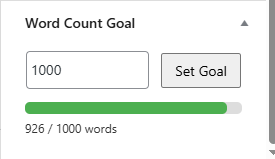
📊 Live Progress Bar
As you type in the editor, a progress bar shows you how close you are to your goal in real-time.
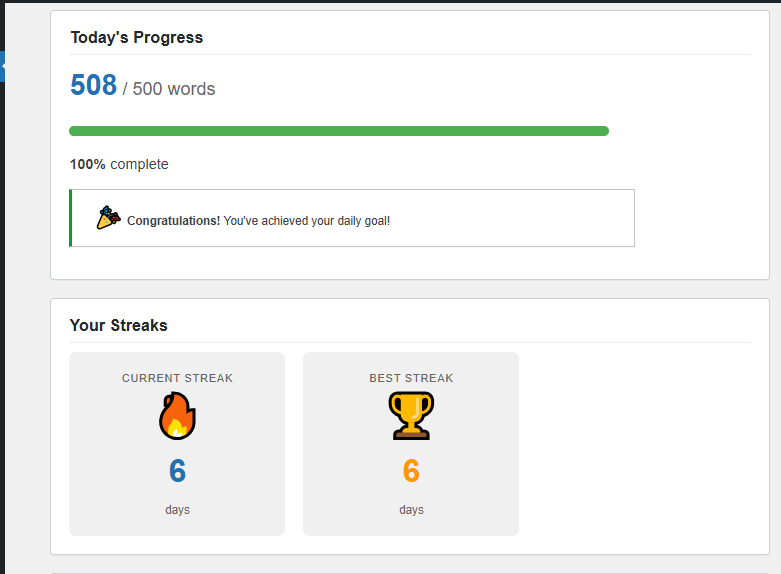
🔔 Progress Notifications
Get a quick visual notification as soon as you reach your word target.
🚀 Dashboard Integration
Easy settings interface inside WordPress lets you manage your global goals and customize how the plugin behaves.
⚡ Built for Performance
It’s lightweight with minimal code, so it won’t slow down your site.
🧩 Compatible with Both Editors
Works with both the Classic Editor and the Block Editor.
🔧 How to Install & Configure Word Count Goal Tracker
Here’s how to get started:
- Install the plugin from the WordPress plugin directory or upload it to
/wp-content/plugins/. - Activate it through the WordPress admin panel.
- Navigate to Settings → Word Count Goal Tracker to set your global word goal.
- Start writing a post — the goal and progress bar will show up automatically.
💡 Why This Plugin Is Helpful
Most writers use external tools (or spreadsheets) to track word counts, which breaks workflow continuity. With this plugin:
✔ You stay inside WordPress while tracking progress
✔ You get motivated by real-time feedback
✔ Daily consistency becomes easier to maintain
Whether you’re working on tutorials, blog posts, or longer articles, this plugin keeps your discipline in check.
🏆 Who Should Use It?
This plugin is ideal for:
- 📝 Bloggers – Keeps you consistent with daily word targets
- 💼 SEO Writers – Helps you hit editorial guidelines easily
- ✍️ Authors – Tracks your progress while you write
- 📚 Content Creators – Keeps long-form goals on track
If you’ve struggled with hitting writing targets, this plugin helps you get into a rhythm.
🌟 Final Thoughts
Word Count Goal Tracker is a simple yet powerful way to stay motivated and productive as a writer — all without leaving the WordPress editor. Whether you publish daily or tackle big writing projects, it brings a writing habit into your workflow.
👉 Try it today and start hitting your word goals like a pro!

