Introduction
AI is changing the way websites and software are built.
Today, AI tools can generate code, explain programming concepts, find bugs, create website content, write SQL queries, and even help developers build WordPress plugins and themes.
Because of this, many beginners are asking an important question:
Should I still learn PHP and WordPress in the AI era?
The short answer is:
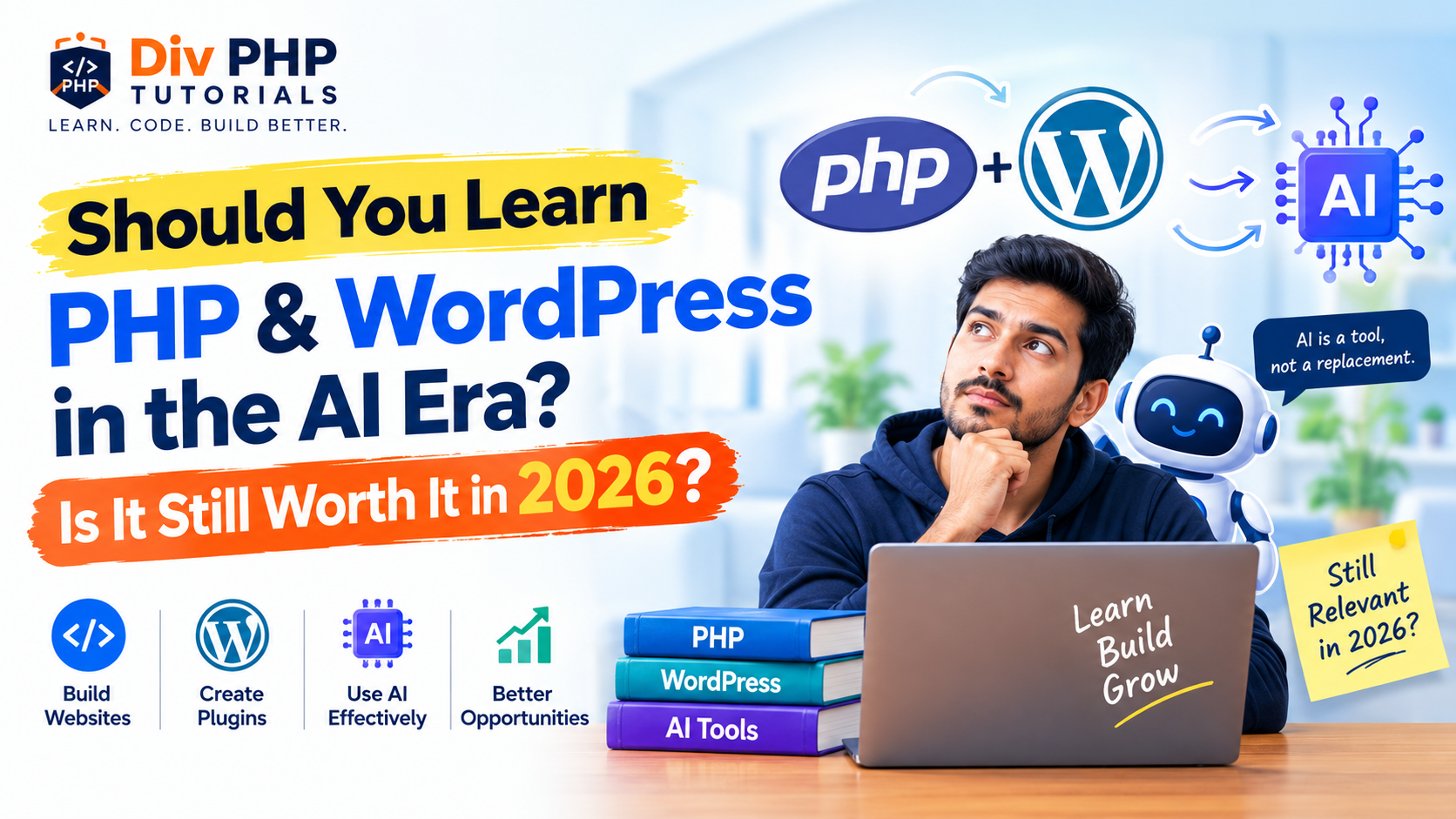
Yes — PHP and WordPress are still worth learning in 2026, but the way you should learn and use them is changing.
You should not think of AI as a replacement for learning programming. Instead, think of AI as a powerful tool that can help you learn faster, solve problems, automate repetitive work, and build better applications.
In this article, we will look at whether PHP and WordPress are still valuable in 2026, what AI is changing, what developers should learn, and how you can combine PHP, WordPress, and AI to build modern websites and applications.
What Has AI Changed in Web Development?
AI has already changed many parts of web development.
Developers can now use AI tools to:
- Generate PHP code
- Explain existing code
- Find programming errors
- Generate SQL queries
- Create JavaScript functions
- Write HTML and CSS
- Generate WordPress snippets
- Create plugin boilerplate
- Explain WordPress hooks
- Generate API integration examples
- Write documentation
- Create test cases
- Suggest performance improvements
- Generate content and SEO ideas
For example, instead of searching through multiple websites to understand a PHP function, a developer can ask an AI assistant to explain it with a practical example.
This can save significant time.
However, there is an important difference between generating code and understanding code.
AI can generate a PHP function in seconds.
But you still need to understand:
- What the function does
- Whether the code is correct
- Whether it is secure
- Whether it follows WordPress standards
- Whether it affects performance
- Whether it works with your existing application
This is where programming knowledge becomes important.
Will AI Replace PHP Developers?
This is one of the biggest concerns among beginners.
Will AI completely replace PHP developers?
Probably not in the way many people imagine.
AI can automate many coding tasks, but software development is much more than writing code.
A real project usually involves:
- Understanding business requirements
- Planning functionality
- Designing databases
- Choosing the right architecture
- Integrating APIs
- Handling authentication
- Managing user permissions
- Debugging unexpected problems
- Protecting user data
- Maintaining existing systems
- Testing functionality
- Communicating with clients
- Making technical decisions
AI can assist with many of these tasks, but someone still needs to understand the overall system.
For example, a client might say:
“I need a WordPress website where users can register, submit applications, pay online, receive email notifications, and track their application status.”
The difficult part isn’t simply writing PHP code.
The difficult part is understanding the requirements and designing the complete solution.
That is why developers who understand programming can use AI much more effectively than people who simply copy AI-generated code.
Is PHP Still Relevant in 2026?
Yes.
PHP continues to be an important web development language and remains deeply connected to the WordPress ecosystem.
WordPress itself is primarily built with PHP, which means PHP knowledge remains valuable for developers who want to work beyond basic WordPress administration.
PHP is used for:
- Dynamic websites
- Content management systems
- Web applications
- APIs
- Backend development
- E-commerce platforms
- SaaS applications
- Automation systems
- Custom WordPress plugins
- Custom WordPress themes
PHP is also actively maintained and continues to receive new releases and security updates.
For modern PHP development, beginners should focus on current PHP 8.x concepts rather than learning outdated PHP practices.
Why Should You Learn PHP?
Learning PHP gives you a better understanding of what happens behind the scenes of a website.
You learn how to:
- Process form data
- Work with databases
- Create dynamic pages
- Handle sessions
- Validate input
- Work with APIs
- Build authentication systems
- Create reusable functions
- Work with object-oriented programming
- Build backend functionality
Once you understand PHP, WordPress becomes much easier to understand at the development level.
Instead of simply installing plugins, you can understand how WordPress works internally.
Why Should You Learn WordPress?
WordPress is much more than installing a theme and adding plugins.
For developers, WordPress provides a large development ecosystem.
You can create:
- Custom plugins
- Custom themes
- Custom post types
- Custom taxonomies
- Meta boxes
- REST API integrations
- WooCommerce functionality
- Custom admin dashboards
- Custom database functionality
- Third-party API integrations
- AI-powered WordPress features
WordPress also provides APIs, hooks, filters, authentication mechanisms, database functions, HTTP functions, and many other development tools.
This makes WordPress a practical platform for learning real-world web development.
WordPress Is Also Moving Toward AI
One of the most interesting reasons to learn WordPress in 2026 is that WordPress itself is becoming more AI-friendly.
WordPress 7.0 introduced a built-in AI Client that provides a PHP-based interface for WordPress code to communicate with configured AI providers.
This gives plugin developers a foundation for building AI-powered functionality directly into WordPress.
For example, developers can build plugins that use AI for:
- Content generation
- Image generation
- Content summarization
- Alt text generation
- Content analysis
- Automation
- Editorial workflows
- Custom AI assistants
- Other AI-powered website features
WordPress’s official developer resources now include tutorials showing how to build AI-powered WordPress plugins using the AI Client.
This is an important point:
AI is not necessarily replacing WordPress development. AI is becoming another capability that WordPress developers can build into their projects.
PHP + WordPress + AI: A Powerful Combination
Instead of thinking about:
PHP vs AI
or
WordPress vs AI
think about:
PHP + WordPress + AI
This combination can be very powerful.
Imagine a WordPress plugin that allows a website owner to select an article and automatically generate:
- A summary
- A meta description
- Suggested headings
- Social media content
- Image alt text
- Related content suggestions
The AI can generate the content.
But the WordPress developer still needs to build:
- The plugin interface
- WordPress hooks
- Database handling
- Permissions
- API communication
- Error handling
- Security
- Settings
- User experience
PHP and WordPress provide the foundation.
AI provides additional capabilities.
What Can You Build With PHP and WordPress in 2026?
If you learn PHP and WordPress properly, you can build much more than basic websites.
1. Custom WordPress Plugins
You can create plugins for specific business requirements.
Examples:
- Booking systems
- Lead management
- Reporting dashboards
- Membership functionality
- Custom forms
- CRM integrations
- Automation tools
2. AI-Powered WordPress Plugins
This is an increasingly interesting area.
You can create plugins that connect WordPress functionality with AI.
Examples include:
- AI content assistants
- AI image tools
- AI SEO assistants
- AI customer support
- AI content summarizers
- AI recommendation systems
The important skill is not simply knowing how to call an AI API.
You need to understand how to integrate that functionality safely and properly into WordPress.
3. REST API Applications
WordPress can also act as a backend for other applications.
You can connect WordPress with:
- React
- Next.js
- Vue.js
- Mobile applications
- External dashboards
- SaaS applications
- Other websites
PHP and WordPress knowledge becomes especially useful when creating custom REST API endpoints and server-side functionality.
4. WooCommerce Solutions
WooCommerce provides another major area for WordPress developers.
You can create custom functionality for:
- Product management
- Checkout
- Payments
- Orders
- Shipping
- Customer accounts
- Third-party integrations
- Custom reports
Businesses often need functionality that isn’t available through an existing plugin.
That creates opportunities for developers who can customize and extend WooCommerce.
What AI Can Do for a PHP Developer
AI can become a powerful development assistant.
For example, you can ask AI to:
Explain code
function calculate_total($price, $quantity) {
    return $price * $quantity;
}
AI can explain what the function does and how its parameters work.
Generate a starting point
You can ask AI for a basic WordPress plugin structure.
Debug errors
You can provide an error message and ask AI to explain possible causes.
Generate SQL
AI can help create SQL queries based on your database requirements.
Create API examples
AI can help generate examples using wp_remote_get(), wp_remote_post(), cURL, or JavaScript fetch().
Generate documentation
AI can turn technical functionality into user-friendly documentation.
The key is to use AI as a development assistant, not as a replacement for your understanding.
What AI Cannot Replace Easily
There are several skills that remain extremely valuable.
Understanding Requirements
AI doesn’t automatically understand the business context of every project.
A developer must understand what the client actually needs.
Architecture
Choosing how different components should communicate is an important development decision.
For example:
Should the functionality be:
- A plugin?
- A custom theme?
- A REST API?
- A separate application?
- A scheduled task?
- A database-driven system?
AI can suggest options, but you need enough knowledge to evaluate them.
Security
Security is especially important in WordPress development.
You need to understand:
- Input validation
- Sanitization
- Escaping
- Nonces
- User capabilities
- Authentication
- Authorization
- SQL injection
- XSS
- CSRF
- Secure API communication
Never blindly trust AI-generated security code.
Debugging
Real-world applications often contain problems that are difficult to reproduce.
Understanding PHP, WordPress, JavaScript, databases, server configuration, and logs gives you the ability to investigate these problems systematically.
Should Beginners Learn PHP Before WordPress?
If your goal is to become a WordPress developer, learning PHP is highly recommended.
You don’t need to become an advanced PHP developer before touching WordPress.
Instead, learn them together gradually.
A beginner-friendly path can look like this:
Step 1: HTML
Learn:
- HTML structure
- Forms
- Links
- Images
- Tables
- Semantic HTML
Step 2: CSS
Learn:
- Selectors
- Box model
- Flexbox
- Grid
- Responsive design
Step 3: JavaScript Basics
Learn:
- Variables
- Functions
- Events
- DOM
- AJAX/fetch basics
Step 4: PHP
Learn:
- Variables
- Data types
- Operators
- Conditions
- Loops
- Functions
- Arrays
- Forms
- Sessions
- MySQL
- Object-oriented PHP
Step 5: WordPress
Learn:
- Themes
- Plugins
- Template hierarchy
- Hooks
- Actions
- Filters
- Custom post types
- Taxonomies
- Meta boxes
- Settings API
- REST API
- Database functions
Step 6: Modern WordPress Development
Learn:
- Block editor concepts
- JavaScript in WordPress
- REST APIs
- Performance
- Security
- Custom integrations
Step 7: AI Integration
Finally, learn how AI can be integrated into your applications.
Learn:
- AI APIs
- Prompt design
- API authentication
- Structured responses
- Error handling
- AI-powered WordPress features
- AI Client capabilities in modern WordPress
This combination gives you a much stronger foundation than simply learning how to generate code with AI.
Should You Learn PHP or AI First?
You don’t have to choose one.
You can learn both at the same time.
For example:
Learn PHP concept → Write the code yourself → Ask AI to review it → Compare the suggestions → Improve your code
This creates a much better learning process.
Instead of asking:
“AI, write a PHP calculator.”
Try:
“I am learning PHP. I created this calculator. Review my code and explain what I can improve.”
This way, AI becomes your learning assistant.
What PHP and WordPress Skills Should You Learn in 2026?
If you’re starting today, don’t focus only on basic syntax.
Build a broader skill set.
PHP
- Modern PHP 8.x
- Functions
- Arrays
- OOP
- Error handling
- Sessions
- Security
- MySQL
- APIs
- JSON
- cURL
WordPress
- Plugin development
- Theme development
- Hooks
- Custom Post Types
- Taxonomies
- Meta fields
- REST API
- Database API
- HTTP API
- Authentication
- Security
- Performance
- WooCommerce
Modern Development
- Git
- Composer
- REST APIs
- JavaScript
- JSON
- AJAX/fetch
- Basic React concepts
- Deployment
- Debugging
AI
- AI APIs
- Prompt engineering
- AI-assisted development
- Structured outputs
- AI security
- AI-powered WordPress features
- AI Client concepts
Common Mistakes Beginners Make in the AI Era
Mistake 1: Depending Completely on AI
If you copy every piece of code AI generates, you may build something without understanding how it works.
That becomes a problem when something breaks.
Mistake 2: Avoiding Programming Because AI Can Code
AI can generate code.
But understanding code is still a valuable skill.
If you understand programming, you can use AI much more effectively.
Mistake 3: Learning Only WordPress Page Builders
Page builders can be useful, but developers who want to build custom functionality should also understand:
- PHP
- WordPress APIs
- Hooks
- Databases
- JavaScript
- REST APIs
Mistake 4: Learning Outdated PHP
PHP continues to evolve.
Avoid relying only on old PHP tutorials and outdated coding patterns.
Focus on modern PHP practices and current supported versions.
Mistake 5: Thinking AI Means You Don’t Need Security
AI-generated code can contain security problems.
Always understand and verify:
- Input validation
- Sanitization
- Escaping
- Permissions
- Nonces
- Authentication
- API security
AI vs PHP: It’s Not an Either-Or Decision
A common mistake is treating AI and programming as competitors.
They are different things.
Think of it this way:
PHP = Programming foundation
WordPress = Development platform
AI = Productivity and intelligence layer
When combined, they can
Is WordPress Still Worth Learning in 2026?
Yes, especially if your goal is to work with websites, businesses, content platforms, e-commerce, plugins, or custom web solutions.
WordPress continues to evolve.
The platform is not simply staying the same while AI grows around it.
Modern WordPress development is increasingly connected with:
- APIs
- JavaScript
- AI
- Automation
- Real-time collaboration
- Modern development workflows
WordPress 7.0 introduced AI infrastructure into Core, and WordPress 7.1 was released in August 2026.
This shows that WordPress is adapting to the changing development environment rather than ignoring it.
Who Should Learn PHP and WordPress in 2026?
PHP and WordPress are particularly useful for:
Beginners
If you want to enter web development, PHP and WordPress can provide a practical path from basic websites to backend development.
Freelancers
WordPress skills can help you build and customize websites for businesses and clients.
Web Developers
PHP knowledge allows you to move beyond basic theme customization and work on custom functionality.
Plugin Developers
If you want to create WordPress plugins, PHP is one of the most important skills you can develop.
Entrepreneurs
Understanding WordPress and PHP can help you create your own websites, tools, plugins, and online products.
AI Developers Interested in WordPress
If you want to create AI-powered WordPress solutions, understanding the platform and its PHP-based backend becomes even more useful.
Who May Not Need PHP?
Not everyone needs to become a PHP developer.
If your goal is simply to:
- Start a personal blog
- Create a basic website
- Manage content
- Publish articles
- Run a simple business website
You may be able to use WordPress without writing PHP.
But if you want to:
- Develop plugins
- Build custom themes
- Customize WordPress deeply
- Integrate APIs
- Build WooCommerce functionality
- Create AI-powered WordPress features
- Work as a WordPress developer
Then PHP knowledge becomes much more valuable.
A Practical Learning Strategy for 2026
Don’t spend months learning programming only through theory.
Build projects.
For example:
Beginner Project
Create a PHP contact form.
Intermediate Project
Create a PHP + MySQL CRUD application.
WordPress Project
Create a custom WordPress plugin.
Advanced WordPress Project
Create a custom plugin with:
- Admin settings
- Custom database tables
- AJAX
- REST API
- Security
- External API integration
AI Project
Add an AI feature to your WordPress plugin.
For example:
WordPress Plugin → User Input → PHP → AI API → Process Response → WordPress
This kind of project teaches you multiple real-world skills at the same time.
The Future of PHP and WordPress Developers
The future probably won’t belong to developers who refuse to use AI.
It also won’t necessarily belong to people who depend completely on AI-generated code.
The strongest developers will likely be those who combine:
Programming knowledge + WordPress expertise + AI tools + Problem-solving skills
A developer who understands the fundamentals can use AI as leverage.
A developer who doesn’t understand the fundamentals may struggle when AI-generated code is incorrect, insecure, inefficient, or incompatible with a project.
Final Verdict: Should You Learn PHP & WordPress in 2026?
Yes.
But don’t learn PHP and WordPress exactly the way developers learned them years ago.
Learn them with a modern approach.
Learn:
PHP → WordPress → APIs → JavaScript → Modern Development → AI
And use AI throughout the learning process.
Don’t ask AI to do everything for you.
Ask it to:
- Explain concepts
- Review your code
- Suggest improvements
- Help debug problems
- Generate examples
- Compare approaches
- Help you learn new APIs
The goal is not to compete with AI.
The goal is to become a developer who knows how to use AI effectively.
The most important takeaway:
Don’t learn PHP and WordPress despite AI. Learn PHP and WordPress so you can use AI more effectively.
If you are a beginner in 2026 and interested in web development, PHP and WordPress can still be a valuable combination — especially when you add modern APIs, JavaScript, security, performance, and AI skills to the foundation.
Frequently Asked Questions
Is PHP still worth learning in 2026?
Yes. PHP remains an important web development language and continues to power WordPress and many other web applications. Modern PHP development should focus on current PHP 8.x versions and modern coding practices.
Is WordPress still relevant in the AI era?
Yes. WordPress continues to evolve and is adding modern capabilities, including AI-related developer infrastructure. The platform remains useful for websites, content platforms, e-commerce, plugins, and custom applications.
Will AI replace PHP developers?
AI can automate many coding tasks, but development also involves requirements, architecture, security, debugging, testing, integrations, and business decisions. Developers who understand these areas can use AI as a productivity tool.
Should I learn PHP before WordPress?
If your goal is WordPress development, learning PHP alongside WordPress is a strong approach. You don’t need advanced PHP knowledge before starting WordPress.
Can I learn PHP using AI?
Yes. AI can help explain PHP concepts, generate examples, review your code, and help debug problems. However, you should practice writing and understanding code yourself instead of relying completely on generated solutions.
Should I learn WordPress or React in 2026?
It depends on your goals. WordPress is useful for CMS-driven websites, plugins, business websites, and e-commerce. React is valuable for modern interactive frontends and applications. Learning WordPress first and then adding JavaScript/React can be a useful path for developers interested in WordPress and modern web applications.
Can PHP be used with AI?
Yes. PHP applications can communicate with AI services through APIs and modern SDKs. WordPress 7.0 also introduced a built-in AI Client that provides a PHP-based interface for AI functionality within WordPress.
What should I learn after PHP?
After PHP, consider learning MySQL, object-oriented programming, APIs, WordPress development, JavaScript, REST APIs, security, Git, Composer, and AI integration.
Conclusion
AI has changed web development, but it has not made programming knowledge useless.
In fact, the ability to understand technology may become even more valuable as AI generates more code.
PHP gives you a strong backend foundation.
WordPress gives you a powerful development platform.
APIs connect your applications to external services.
AI can help you work faster and build new types of functionality.
The future isn’t simply PHP vs AI or WordPress vs AI.
The opportunity is in PHP + WordPress + AI.
So, if you’re asking:
“Should I learn PHP and WordPress in the AI era?”
The answer is:
Yes — learn the fundamentals, build real projects, understand the code, and learn how to use AI as your development partner.
That combination can remain highly valuable in 2026 and beyond.

